Codex in Threadlines
A desktop GUI for Codex
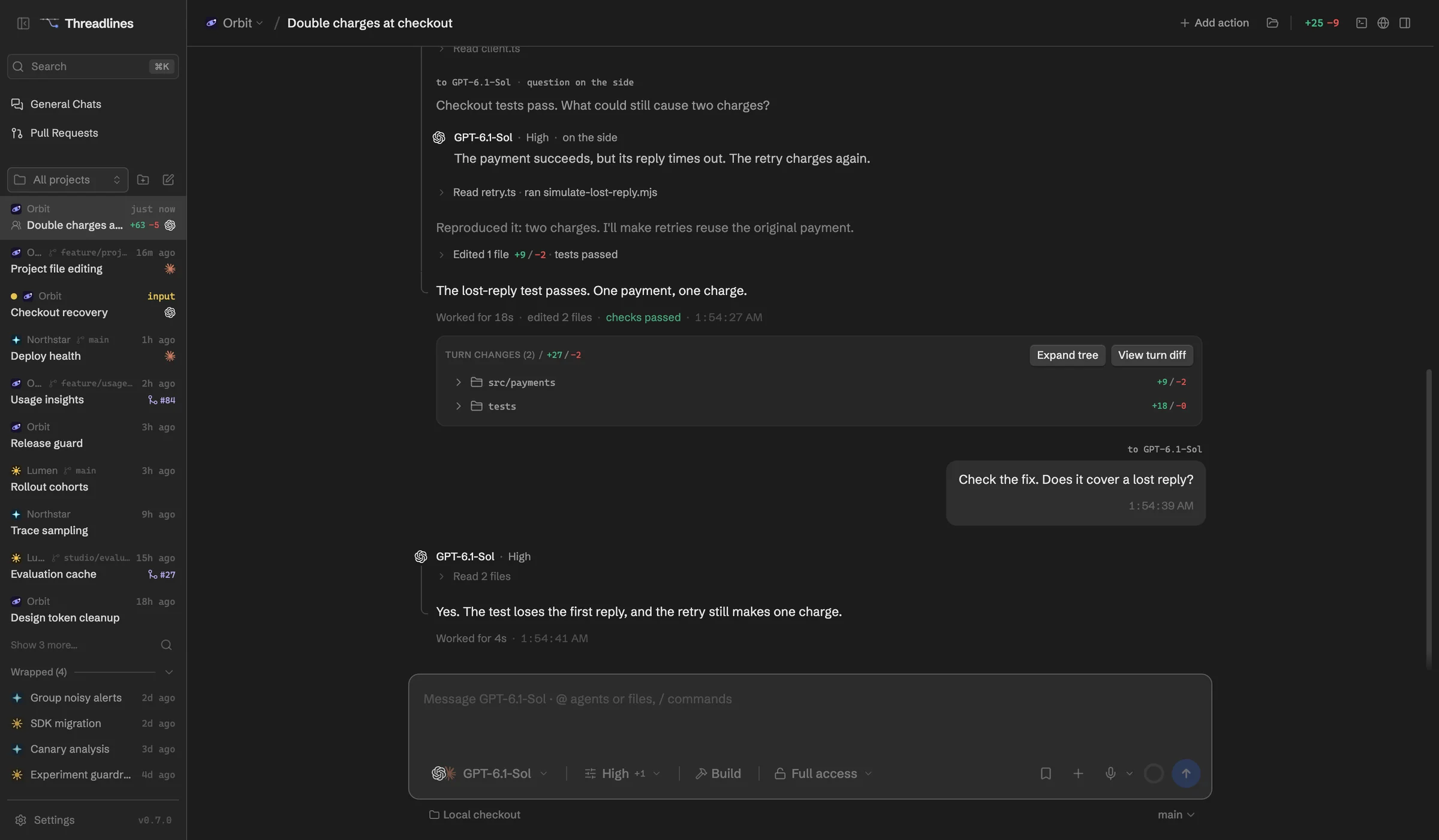
Threadlines runs OpenAI's Codex with your ChatGPT sign-in and keeps each thread's plan, subagents, diffs and pull request in view. Add Claude Code to the same thread whenever you want a second opinion.
What works with Codex
Your ChatGPT plan
Turns use your plan, and meters show what's left.
Goals with budgets
Give Codex a goal and a token budget.
Subagents you can message
Watch them live and message one while it works.
Steer mid-turn
Codex reads your message in the same turn.
Fork and undo
Fork from any message. Undo rolls Codex back too.
Bring in old sessions
Import threads you started in the Codex CLI.
Skills, plugins and MCP
Manage them all from Settings.
Set up in four steps
- 01Download Threadlines
- 02Install Codex from Settings › Providers
- 03Sign in with ChatGPT or an API key
- 04Open a project and start a thread
In every thread
Two agents, one thread
Add a second agent to check the first.
Pull requests and CI
Review them beside the chat.
Built-in browser
Preview your site and attach a screenshot.
A worktree per thread
Keep each agent's changes apart.
Questions
Does Threadlines use my ChatGPT subscription?
Yes. It runs the Codex CLI with your ChatGPT sign-in, so it uses the same limits as Codex anywhere else. An OpenAI API key works too, and that bills per token.
Can I move a Codex thread to Claude Code?
Yes. Switch the thread's agent and Threadlines gives Claude Code a recap of the conversation along with your current working tree. Or keep Codex and add Claude Code to the same thread.
What does it cost?
Threadlines is free and MIT-licensed. You only pay for your ChatGPT plan or API usage.
Other agents

Codex is made by OpenAI. Threadlines is an independent open-source project and isn't affiliated with or endorsed by OpenAI.