Cursor in Threadlines
A desktop GUI for the Cursor CLI
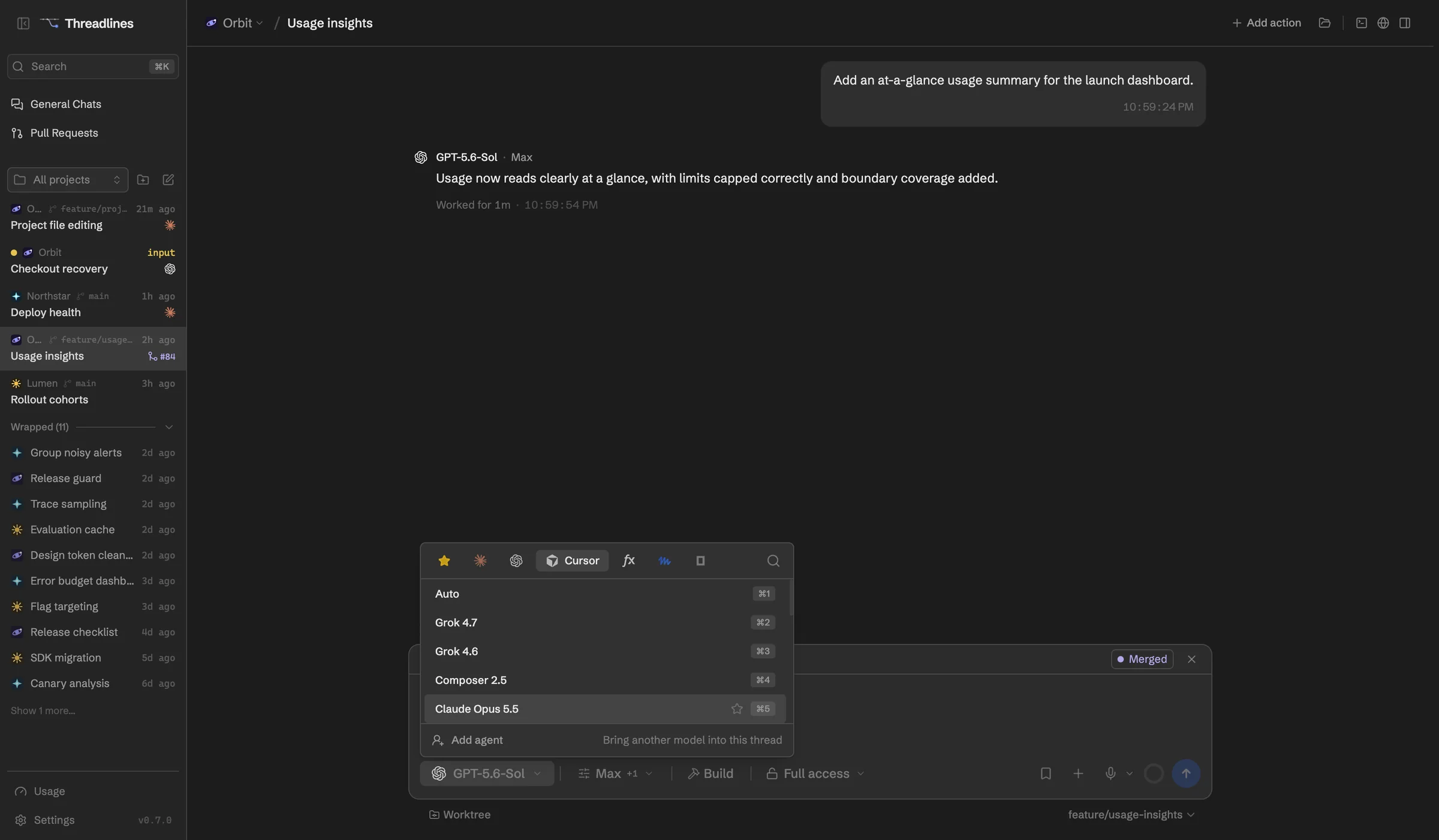
Cursor's agent also runs outside the editor, as the cursor-agent CLI. Threadlines drives it with your Cursor sign-in, so Cursor's models sit next to your other agents.
What works with Cursor
Your Cursor account
Sign in once and turns use your plan.
Plan mode
Questions and to-do lists show in the thread.
Access levels
Approve each step, or give full access.
Cursor's models
Auto, or any model your plan includes.
Browser and other agents
Cursor can open pages and ask other agents for help.
Set up in four steps
- 01Download Threadlines
- 02Install the Cursor CLI from Settings › Providers
- 03Sign in with your Cursor account
- 04Open a project and start a thread
In every thread
Two agents, one thread
Add a second agent to check the first.
Pull requests and CI
Review them beside the chat.
Built-in browser
Preview your site and attach a screenshot.
A worktree per thread
Keep each agent's changes apart.
Questions
Do I need the Cursor editor?
No. Threadlines uses Cursor's command-line agent, which installs on its own. You need a Cursor CLI from April 2026 or later.
Does it use my Cursor subscription?
Yes. The CLI uses your Cursor sign-in, so turns count against your Cursor plan.
What does it cost?
Threadlines is free and MIT-licensed. You only pay for your Cursor plan.
Other agents

Cursor is made by Anysphere. Threadlines is an independent open-source project and isn't affiliated with or endorsed by Anysphere.