Muse Code in Threadlines
A desktop GUI for Muse Code
Meta ships Muse Code as a terminal tool. Threadlines gives it a desktop home, with plans you approve, subagents you can follow and your limits on screen.
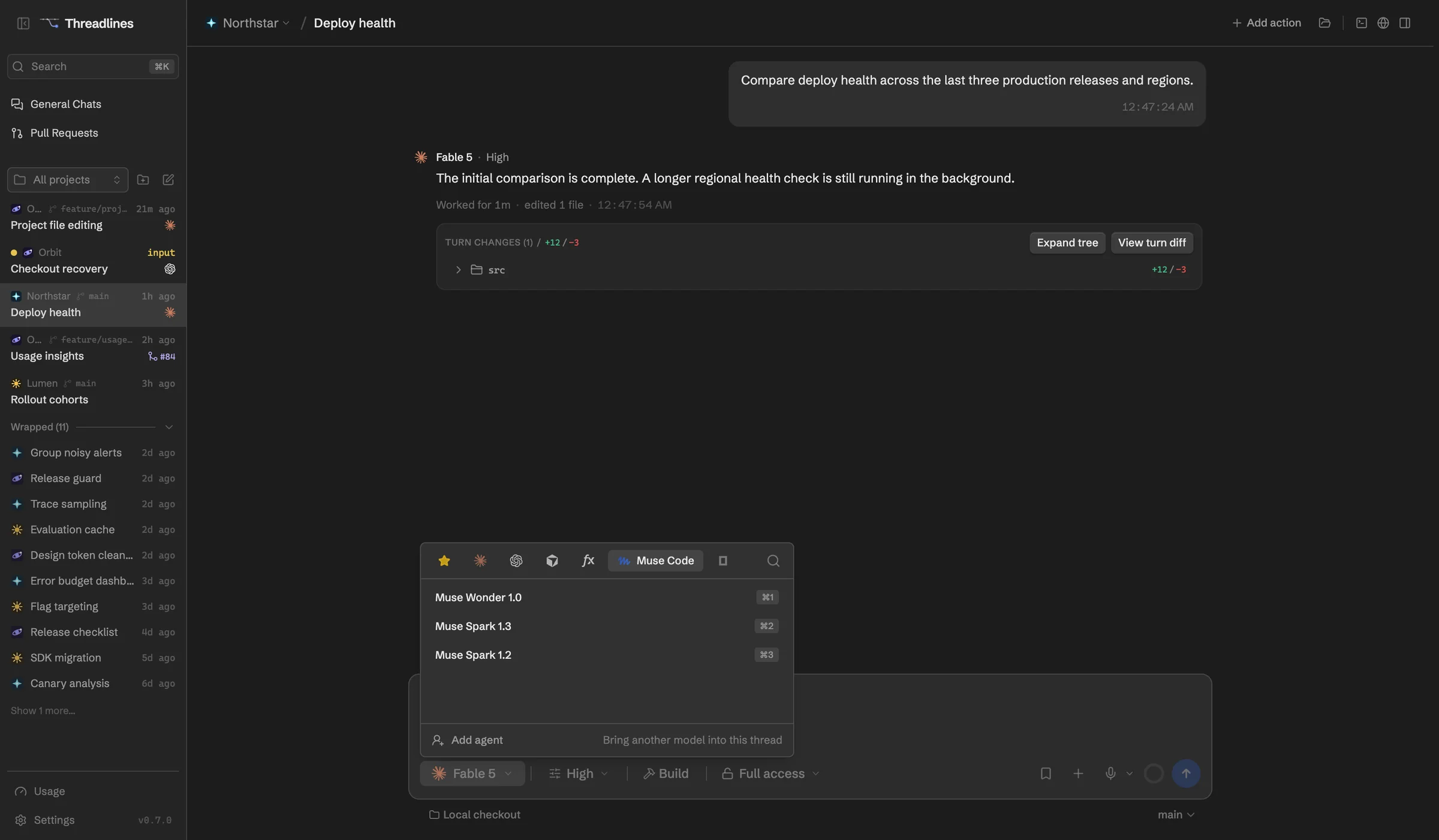
What works with Muse Code
Your Muse plan
5-hour and weekly meters show your limits.
Read-only plan mode
Muse plans without touching files, then builds.
Subagents and workflows
Follow them as they run.
Steer mid-turn
Muse reads your message in the same turn.
Contributor mode is your call
Choose once whether Meta can train on your chats.
No surprise API bills
API keys run only if you turn billing on.
Set up in four steps
- 01Download Threadlines
- 02Install Muse Code from Settings › Providers
- 03Sign in and choose contributor mode
- 04Open a project and start a thread
In every thread
Two agents, one thread
Add a second agent to check the first.
Pull requests and CI
Review them beside the chat.
Built-in browser
Preview your site and attach a screenshot.
A worktree per thread
Keep each agent's changes apart.
Questions
What is contributor mode?
A Muse setting that lets Meta use your chats for training, in exchange for longer plan limits. Meta's terms say confidential code shouldn't go there. Threadlines asks before your first chat, and you can change it in Settings.
Does Muse Code work on Windows?
Muse supports Windows, but we haven't tested Threadlines with it there yet. Mac is tested.
Can Muse join a thread with other agents?
Yes. It can't answer side questions while another agent is working, though, because Muse loads your own hooks and MCP servers in every chat.
What does it cost?
Threadlines is free and MIT-licensed. You pay Meta for your Muse plan, or for API usage if you turn that on.
Other agents

Muse Code is made by Meta. Threadlines is an independent open-source project and isn't affiliated with or endorsed by Meta.