OpenCode in Threadlines
A desktop GUI for OpenCode
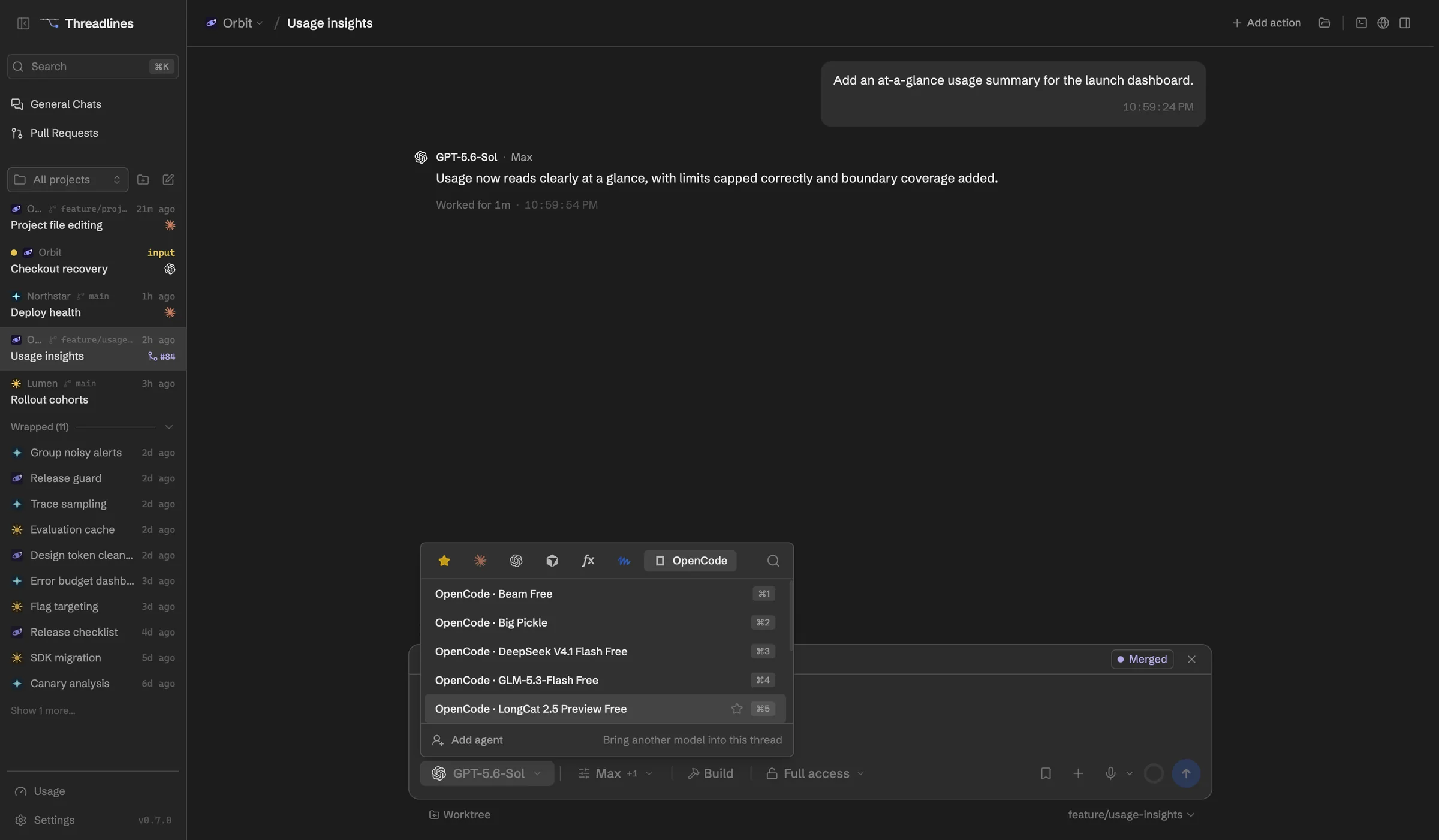
OpenCode lets you bring your own model accounts. Threadlines runs OpenCode 2 and gives each conversation a thread with its plan, subagents and diffs.
What works with OpenCode
Any model you've connected
With its reasoning variants, picked per thread.
Plan mode
OpenCode's plan agent plans before any edits.
Subagents
Shown live in the thread.
Steer, fork and resume
Message it mid-turn, fork, and pick up after a restart.
Images and files
Attachments reach OpenCode inline.
Slash commands
Run them from the composer.
Set up in four steps
- 01Download Threadlines
- 02Install OpenCode 2 from Settings › Providers
- 03Connect a model provider account
- 04Open a project and start a thread
In every thread
Two agents, one thread
Add a second agent to check the first.
Pull requests and CI
Review them beside the chat.
Built-in browser
Preview your site and attach a screenshot.
A worktree per thread
Keep each agent's changes apart.
Questions
Which OpenCode version do I need?
OpenCode 2. Threadlines talks to it through opencode serve and helps you upgrade if you're still on 1.x.
Which models can I use?
Whatever you've connected in OpenCode. Threadlines lists the models OpenCode reports for your accounts.
Are there usage meters for OpenCode?
No. OpenCode doesn't report plan limits, so Threadlines has nothing to show. Check your model provider's own dashboard.
What does it cost?
Threadlines and OpenCode are both free. You pay your model providers for what you use.
Other agents

OpenCode is made by Anomaly. Threadlines is an independent open-source project and isn't affiliated with or endorsed by Anomaly.