fx in Threadlines
A desktop GUI for fx
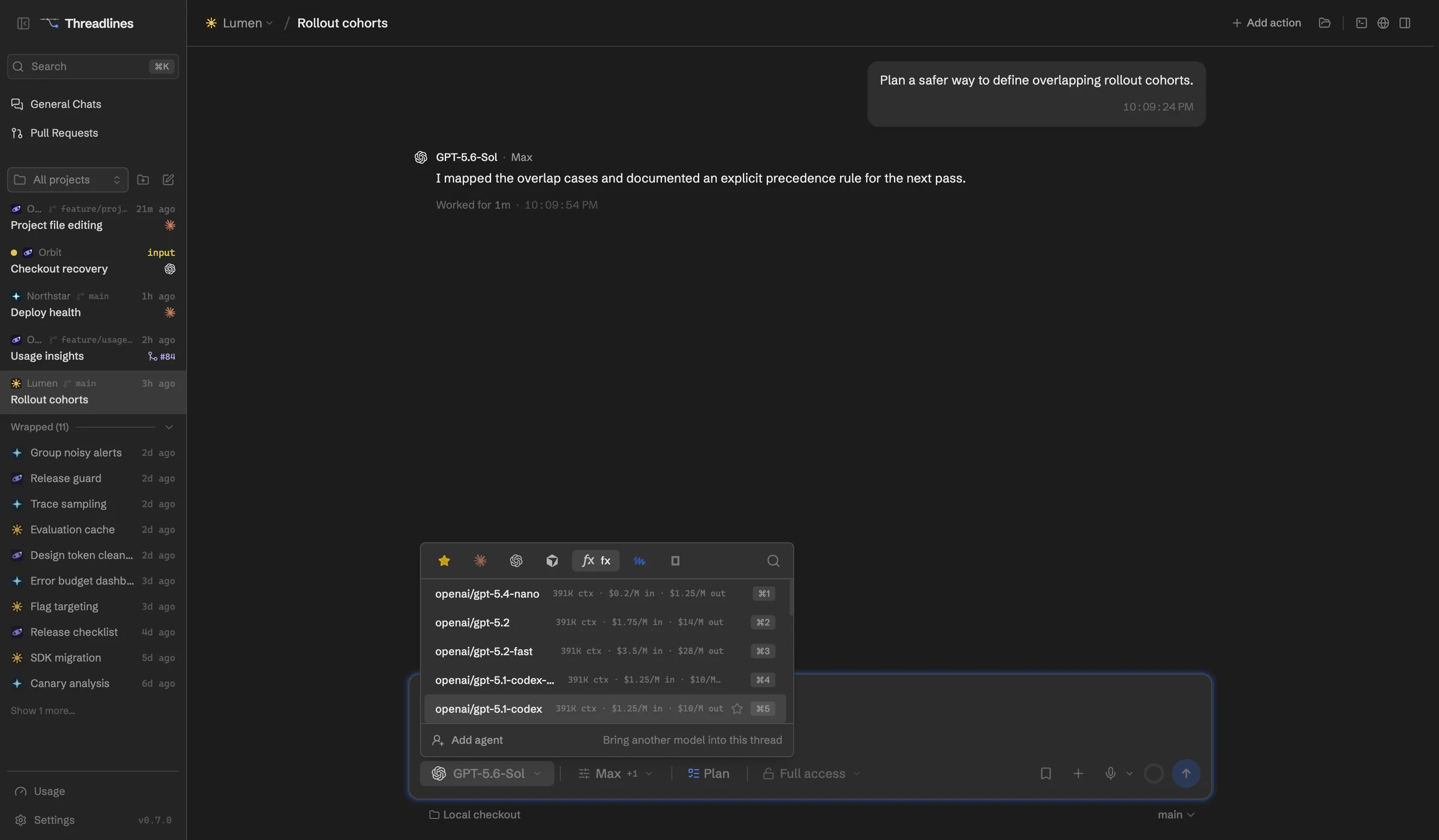
fx is Vercel Labs' small, open-source coding agent. Threadlines runs it with Vercel AI Gateway models and shows each model's price in the picker.
What works with fx
Prices in the picker
See what each model costs. Free ones are marked.
Simple sign-in
Click Sign in, or add an AI Gateway key.
Access levels
Approve each step, or give full access.
Reasoning effort
On models that offer it.
Windows through WSL
Threadlines runs fx inside WSL for you.
Set up in four steps
- 01Download Threadlines
- 02Install fx from Settings › Providers
- 03Sign in to the Vercel AI Gateway
- 04Open a project and start a thread
In every thread
Two agents, one thread
Add a second agent to check the first.
Pull requests and CI
Review them beside the chat.
Built-in browser
Preview your site and attach a screenshot.
A worktree per thread
Keep each agent's changes apart.
Questions
Does fx work on Windows?
Yes, through WSL. Threadlines runs fx inside your default WSL distro. The built-in browser and the tools agents use to talk to each other can't reach fx there yet.
Is there a plan mode?
No. fx doesn't offer one, so Threadlines hides the plan toggle for it.
What does it cost?
Threadlines and fx are free. Models bill through the Vercel AI Gateway, and some cost nothing.
Other agents

fx is made by Vercel. Threadlines is an independent open-source project and isn't affiliated with or endorsed by Vercel.